Rearrange the rack field
Explore a different rack-row arrangement while preserving receiving, shipping and the marked circulation aisles.
Generate this variation →Commercial template
A warehouse reference with receiving, central rack storage, sorting, packaging and shipping, plus an office and staff-support strip.
Describe your changes and get a new image.
Open a personal copy with editable walls, rooms, openings and furnishings.
Best suited to
Teams comparing the order of receiving, storage and dispatch activities.
Understand the plan
Look beyond the room count: check how you would move, work and spend time in this layout.
The left side contains incoming-goods space and short rack groups.
Long rack rows occupy the center.
Enclosed work areas sit to the right of storage.
Dispatch space and loading openings occupy the lower-right edge.
Office, surveillance, lounge, bathroom and equipment spaces run along the far right.
Receiving and shipping sit on different sides of the rack field, with dashed forklift aisles around the storage rows.
The arrangement suggests a goods-flow sequence, but rack loading, vehicle turning and pedestrian separation are not specified.
The reference is a layout concept. Confirm dimensions against your own space before detailed planning.
What opens in the editor
The prepared model includes the room structure, openings, furniture and fixtures shown in the preview. Each object can be selected and edited in your own copy.
Directly traced after inspecting the transparent source on white. Storage rows are editable schematic rack units, not stairs. Three drawn shipping bays are represented by roll-up openings and an apron; actual dock mechanisms and levels are unspecified. Catalog models, aisle clearances, equipment dimensions and storage capacity remain conceptual.
Open the editable layout →Decide before you start
Receiving and shipping sit on different sides of the rack field, with dashed forklift aisles around the storage rows.
The arrangement suggests a goods-flow sequence, but rack loading, vehicle turning and pedestrian separation are not specified.
Confirm the actual enclosure, openings and fixture dimensions before changing this reference into a measured project.
Make it fit your brief
Try a visual direction with image generation, or change the prepared structure directly in the editor.
Explore a different rack-row arrangement while preserving receiving, shipping and the marked circulation aisles.
Generate this variation →Rearrange sorting and packaging workstations to simplify the transfer toward shipping.
Generate this variation →Want direct control over the layout? Open the prepared structure and select a wall, room or opening to edit. Your changes are saved to your own project.
Edit this layout →No. Dashed aisle lines are shown, but vehicle type, turning space and operating clearances are not established by this reference.
Generate from this image creates a new picture based on your instructions. Edit this layout opens a copy of the prepared model so you can change individual walls, rooms, openings and furnishings. A generated picture does not automatically update the model.
No. Image generation creates new results, and structural editing creates a personal project. You can return to the template to start another version.
Download generated results as images. From an editable project, export supported image, PDF, DXF or 3D formats. Check the model’s scale before using measured exports.
 Generate image · Edit layout
 Commercial
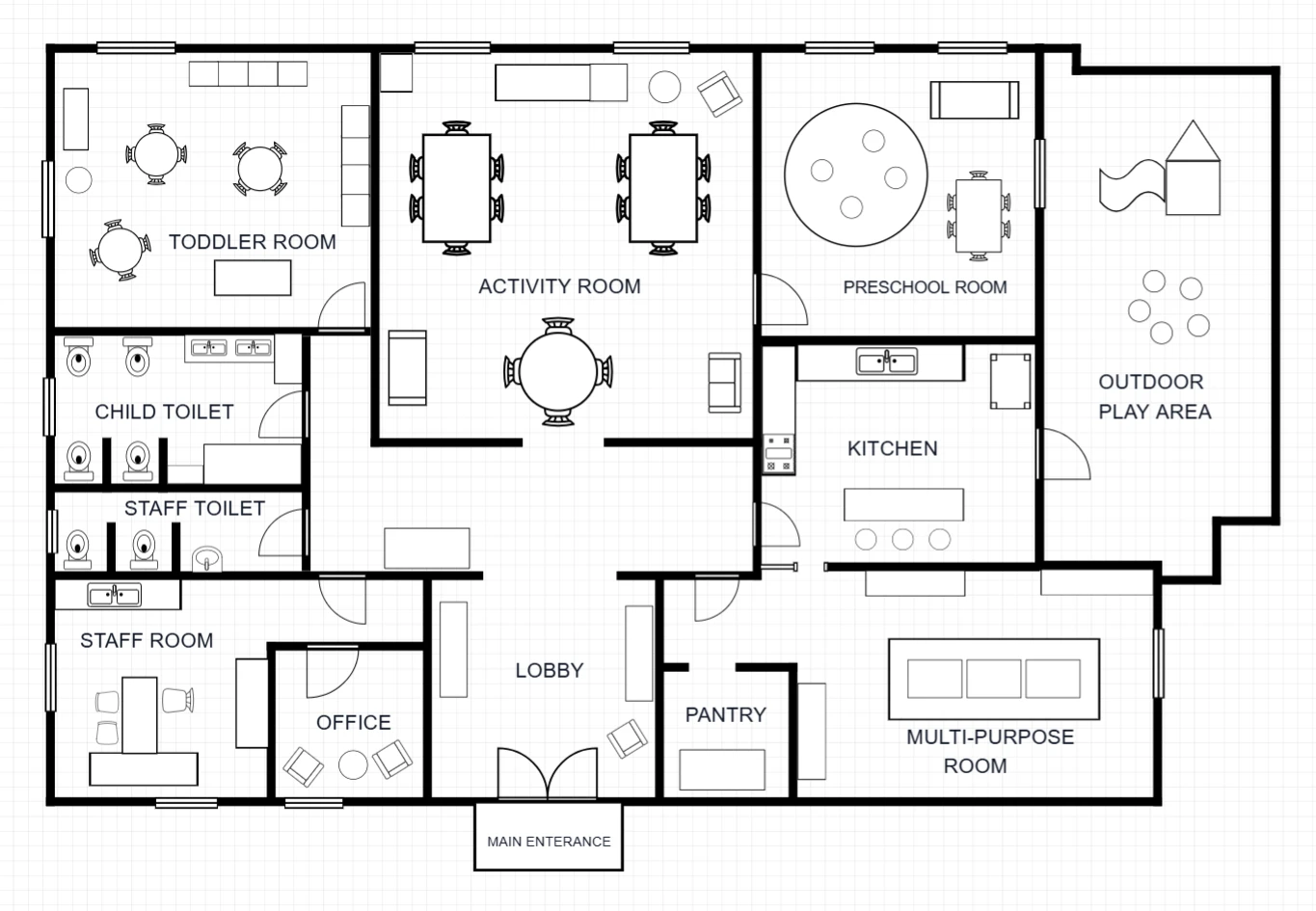
A childcare-center reference with toddler, activity and preschool rooms, outdoor play space, and separate staff and support functions.
 Generate image · Edit layout
 Commercial
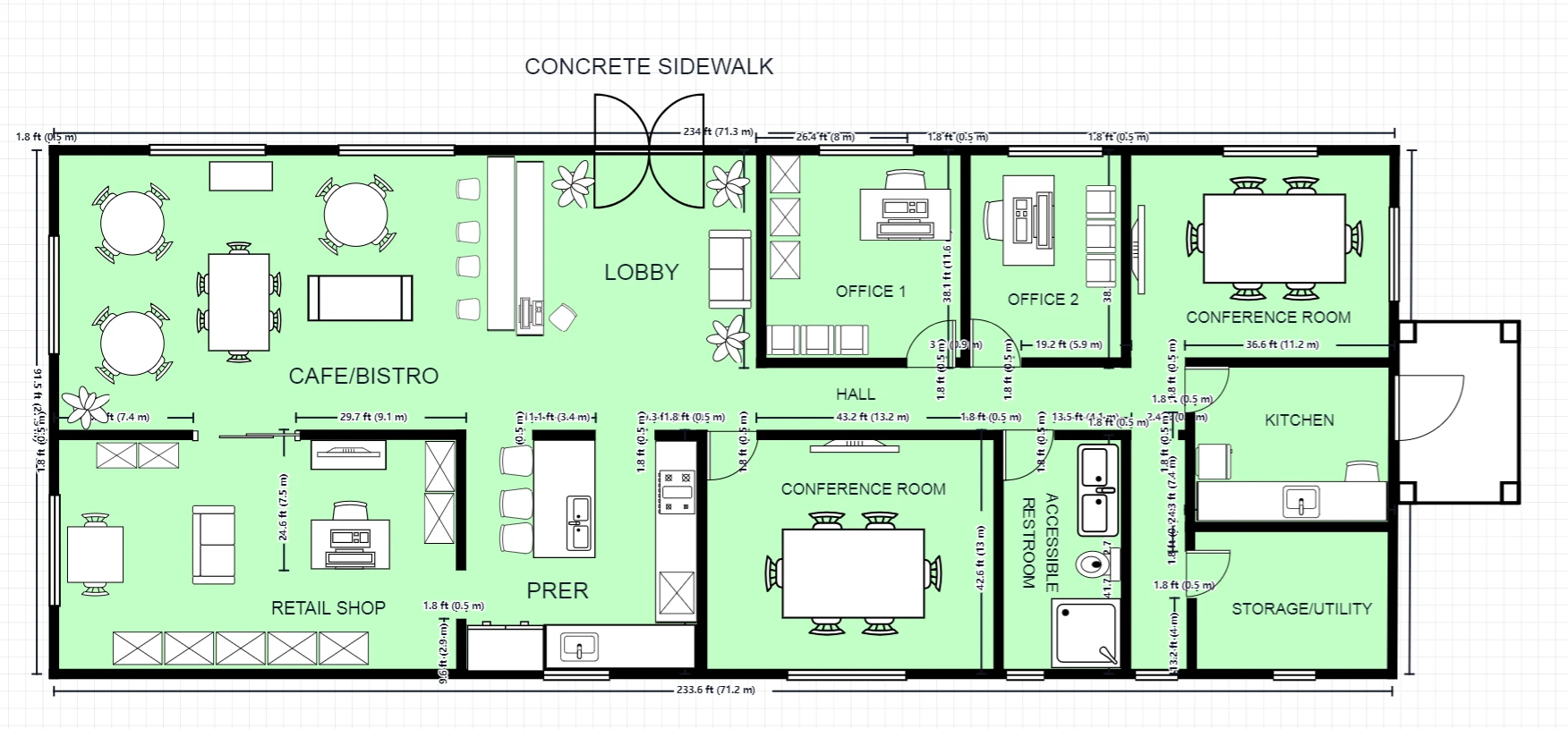
A single-level commercial concept combining café and retail space with offices, meeting rooms, kitchen and support functions off a shared hall.