Improve the client route
Rearrange reception and waiting furniture to clarify the path from arrival to styling and washing.
Generate this variation →Commercial template
A salon with perimeter styling stations, a separate washing zone, reception and waiting space, plus a rear staff room and WC.
Describe your changes and get a new image.
Open a personal copy with editable walls, rooms, openings and furnishings.
Best suited to
Salon owners comparing client arrival, styling and washing routes.
Understand the plan
Look beyond the room count: check how you would move, work and spend time in this layout.
Chairs and mirrors line the upper and left walls.
Two wash positions sit near the upper-right portion of the main room.
An L-shaped desk faces the customer area.
Lounge seating occupies the lower-right corner.
A rear-right room includes a table, refrigerator and toilet facilities.
The lower entrance leads past reception, with styling to the left and washing toward the rear.
Reception and waiting are easy to identify, but chair movement and client traffic need space around each workstation.
The reference is a layout concept. Confirm dimensions against your own space before detailed planning.
What opens in the editor
The prepared model includes the room structure, openings, furniture and fixtures shown in the preview. Each object can be selected and edited in your own copy.
Reference-aligned layout with individually editable furnishings and fixtures. Furniture uses schematic plan symbols and matching catalog models; scale remains approximate. Styling and shampoo fixtures use independently editable catalog components, not manufacturer-specific equipment models.
Open the editable layout →Decide before you start
The lower entrance leads past reception, with styling to the left and washing toward the rear.
Reception and waiting are easy to identify, but chair movement and client traffic need space around each workstation.
Confirm the actual enclosure, openings and fixture dimensions before changing this reference into a measured project.
Make it fit your brief
Try a visual direction with image generation, or change the prepared structure directly in the editor.
Rearrange reception and waiting furniture to clarify the path from arrival to styling and washing.
Generate this variation →Explore fewer, more widely spaced styling stations while retaining the wash area and staff-room access.
Generate this variation →Want direct control over the layout? Open the prepared structure and select a wall, room or opening to edit. Your changes are saved to your own project.
Edit this layout →It shows wash-zone intent, but plumbing points and equipment dimensions are not verified. Confirm those before detailed installation planning.
Generate from this image creates a new picture based on your instructions. Edit this layout opens a copy of the prepared model so you can change individual walls, rooms, openings and furnishings. A generated picture does not automatically update the model.
No. Image generation creates new results, and structural editing creates a personal project. You can return to the template to start another version.
Download generated results as images. From an editable project, export supported image, PDF, DXF or 3D formats. Check the model’s scale before using measured exports.
 Generate image · Edit layout
 Commercial
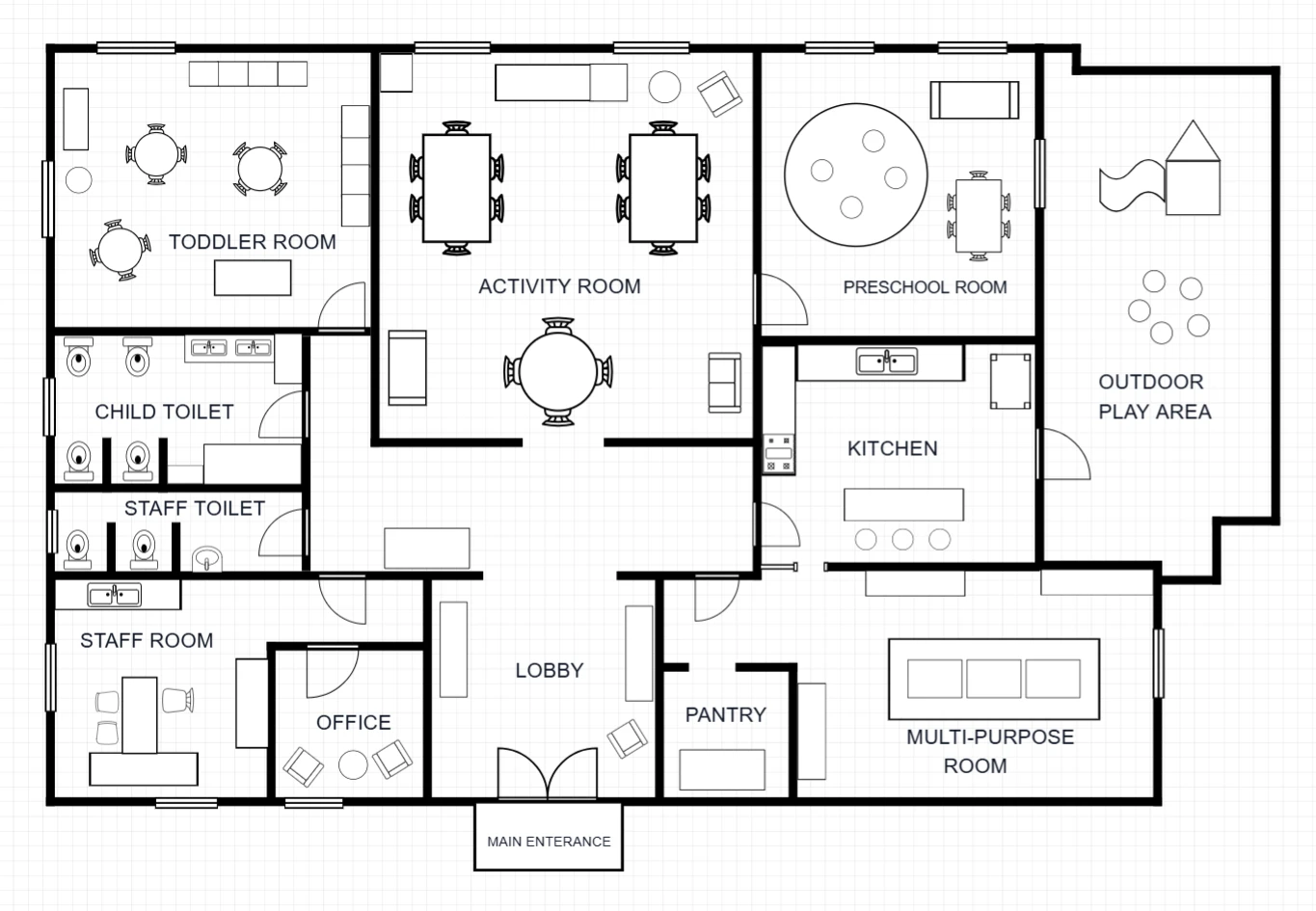
A childcare-center reference with toddler, activity and preschool rooms, outdoor play space, and separate staff and support functions.
 Generate image · Edit layout
 Commercial
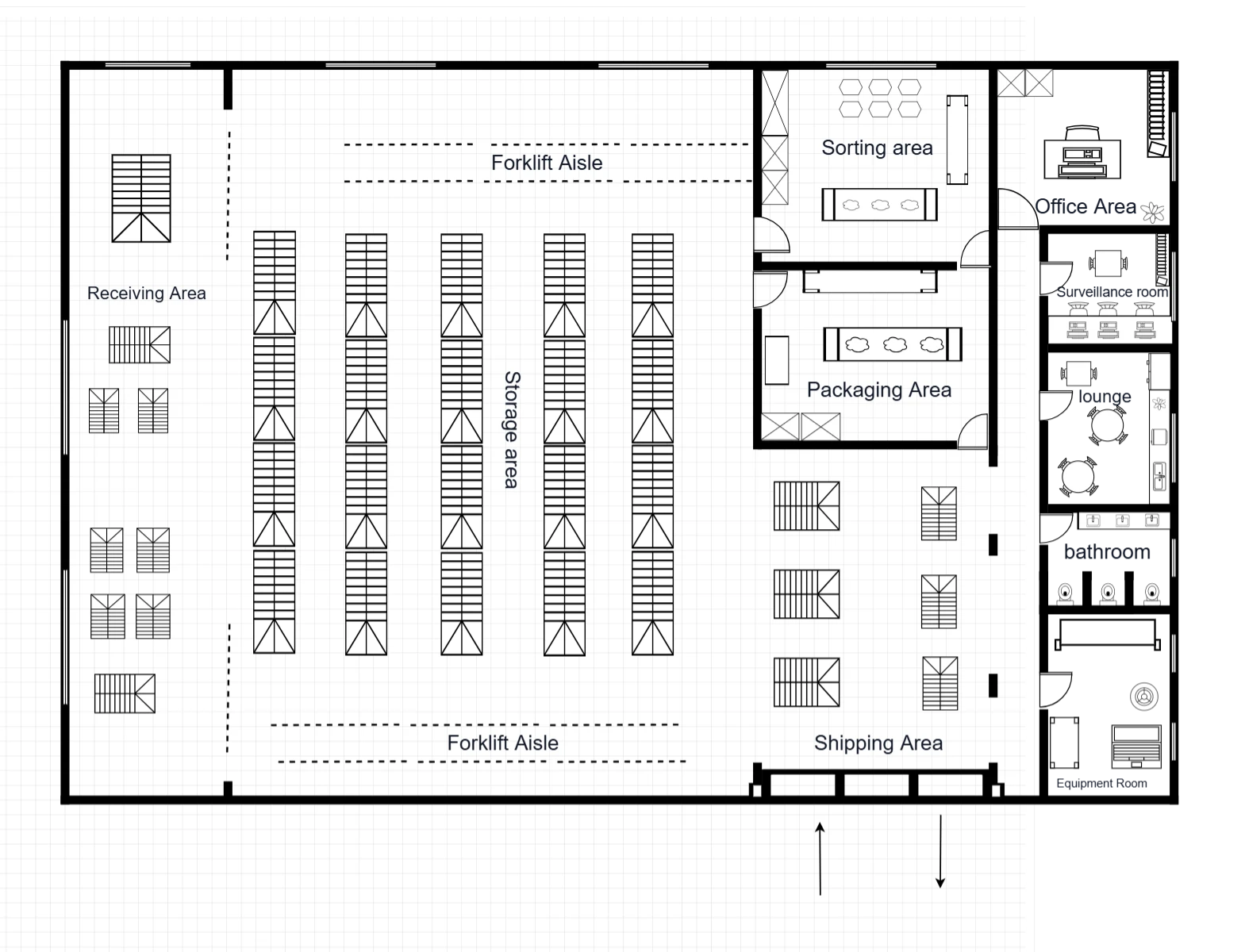
A warehouse reference with receiving, central rack storage, sorting, packaging and shipping, plus an office and staff-support strip.