Rework the office
Explore a two-person desk layout in the home office while keeping all three bedrooms.
Generate this variation →House template
Three bedrooms occupy the lower wing of this house, with a separate upper home office, shared central living space and a long balcony on the left.
Describe your changes and get a new image.
Open a personal copy with editable walls, rooms, openings and furnishings.
Best suited to
Households wanting work separated from the bedroom wing.
Understand the plan
Look beyond the room count: check how you would move, work and spend time in this layout.
The enclosed upper room opens beside the kitchen.
Cooking and dining occupy the upper part of the shared area.
Central seating connects the entrance and lower sleeping rooms.
Three bedrooms form the lower wing.
Two bathrooms sit on the right; a long balcony runs down the left side.
Work and kitchen functions sit near the upper entrance, while bedroom access continues down the right of the living room.
Separating the office from the bedrooms helps organize activity, though the long plan makes circulation important.
The reference is a layout concept. Confirm dimensions against your own space before detailed planning.
What opens in the editor
The prepared model includes the room structure, openings, furniture and fixtures shown in the preview. Each object can be selected and edited in your own copy.
Reference-aligned layout with individually editable furnishings and fixtures. Furniture uses schematic plan symbols and matching catalog models; scale remains approximate. The left balcony remains connected to the living area. The lower glazed strip is reached through the sliding opening drawn beside Bedroom 1; verify enclosure details against measured plans.
Open the editable layout →Decide before you start
Work and kitchen functions sit near the upper entrance, while bedroom access continues down the right of the living room.
Separating the office from the bedrooms helps organize activity, though the long plan makes circulation important.
Confirm the actual enclosure, openings and fixture dimensions before changing this reference into a measured project.
Make it fit your brief
Try a visual direction with image generation, or change the prepared structure directly in the editor.
Explore a two-person desk layout in the home office while keeping all three bedrooms.
Generate this variation →Add a compact reading and planting arrangement along the balcony without narrowing access routes.
Generate this variation →Want direct control over the layout? Open the prepared structure and select a wall, room or opening to edit. Your changes are saved to your own project.
Edit this layout →Yes. The office is at the upper end of the drawing, while the three bedrooms sit in the lower wing.
Generate from this image creates a new picture based on your instructions. Edit this layout opens a copy of the prepared model so you can change individual walls, rooms, openings and furnishings. A generated picture does not automatically update the model.
No. Image generation creates new results, and structural editing creates a personal project. You can return to the template to start another version.
Download generated results as images. From an editable project, export supported image, PDF, DXF or 3D formats. Check the model’s scale before using measured exports.
 Generate image · Edit layout
 House
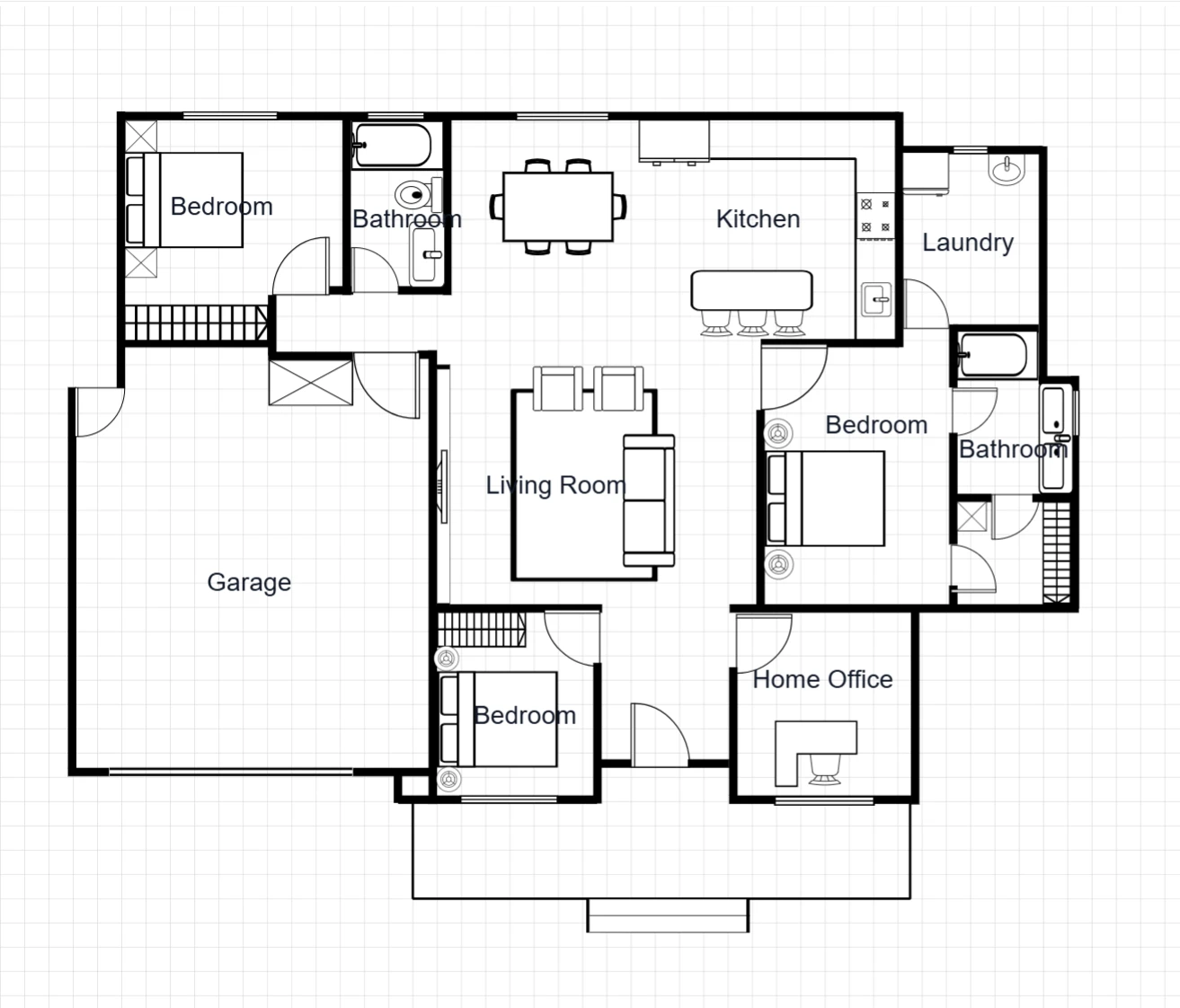
Keep family life connected, with three bedrooms, a garage and a separate home office around a central living space.
 Generate image · Edit layout
 House
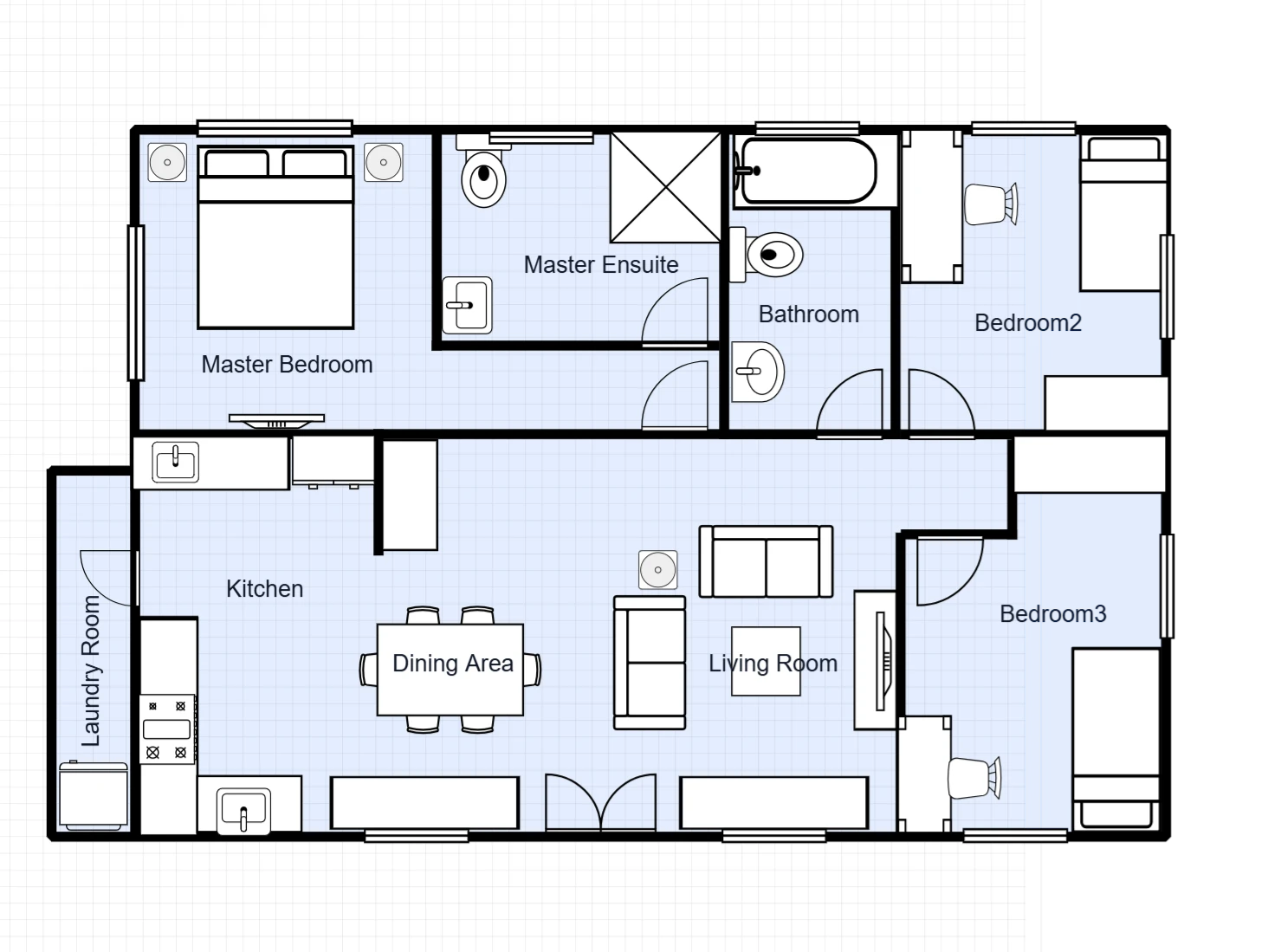
Three bedrooms share an open kitchen, dining and living space, with a private ensuite off the main bedroom and a separate laundry strip.