Update the ground-floor living area
Rearrange only the ground-floor living and dining furniture; preserve both level outlines and the stair positions.
Generate this variation →House template
A paired ground- and upper-floor reference, with shared living and kitchen functions on one drawing and bedrooms, bathroom and work areas on the other.
Describe your changes and get a new image.
Open a personal copy with editable walls, rooms, openings and furnishings.
Best suited to
Households comparing how shared and private rooms can be divided across two levels.
Understand the plan
Look beyond the room count: check how you would move, work and spend time in this layout.
The left drawing places a long living area beside a central hall.
Kitchen/dining, pantry, utility and WC occupy the ground-floor right side.
The right drawing contains the main sleeping room and additional bedroom areas.
The upper-floor right side includes a bathroom and workroom.
Both drawings show the stair near the central circulation zone.
The two drawings must be read as separate levels linked by stairs, not as adjacent rooms on one floor.
Vertical separation creates distinct shared and private areas; stair alignment and actual floor heights need confirmation.
The reference is a layout concept. Confirm dimensions against your own space before detailed planning.
What opens in the editor
The prepared model includes the room structure, openings, furniture and fixtures shown in the preview. Each object can be selected and edited in your own copy.
Both source floors are independently editable and aligned by exterior walls. The source stair footprints differ: the ground stair and upper opening preserve those drawings, but their vertical connection is unverified. Stair rise, landing and scale are conceptual; confirm them before using this as a connected building model.
Open the editable layout →Decide before you start
The two drawings must be read as separate levels linked by stairs, not as adjacent rooms on one floor.
Vertical separation creates distinct shared and private areas; stair alignment and actual floor heights need confirmation.
Confirm the actual enclosure, openings and fixture dimensions before changing this reference into a measured project.
Make it fit your brief
Try a visual direction with image generation, or change the prepared structure directly in the editor.
Rearrange only the ground-floor living and dining furniture; preserve both level outlines and the stair positions.
Generate this variation →Explore an upstairs office arrangement while keeping the bedrooms, bathroom and stair connection.
Generate this variation →Want direct control over the layout? Open the prepared structure and select a wall, room or opening to edit. Your changes are saved to your own project.
Edit this layout →Yes. Two separate floor drawings are shown. Their dimensions and stair alignment should be checked before a measured multi-level model is created.
Generate from this image creates a new picture based on your instructions. Edit this layout opens a copy of the prepared model so you can change individual walls, rooms, openings and furnishings. A generated picture does not automatically update the model.
No. Image generation creates new results, and structural editing creates a personal project. You can return to the template to start another version.
Download generated results as images. From an editable project, export supported image, PDF, DXF or 3D formats. Check the model’s scale before using measured exports.
 Generate image · Edit layout
 House
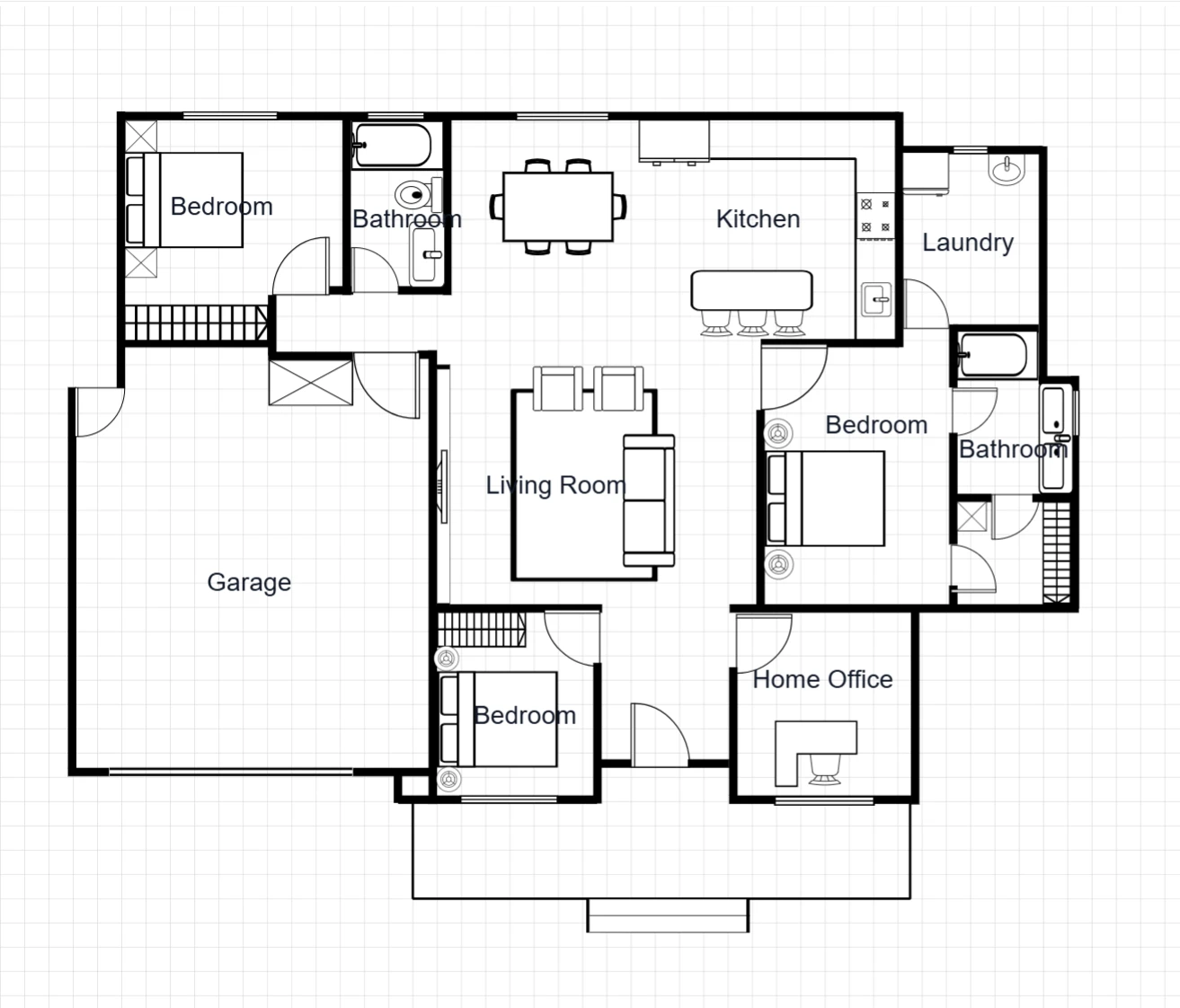
Keep family life connected, with three bedrooms, a garage and a separate home office around a central living space.
 Generate image · Edit layout
 House
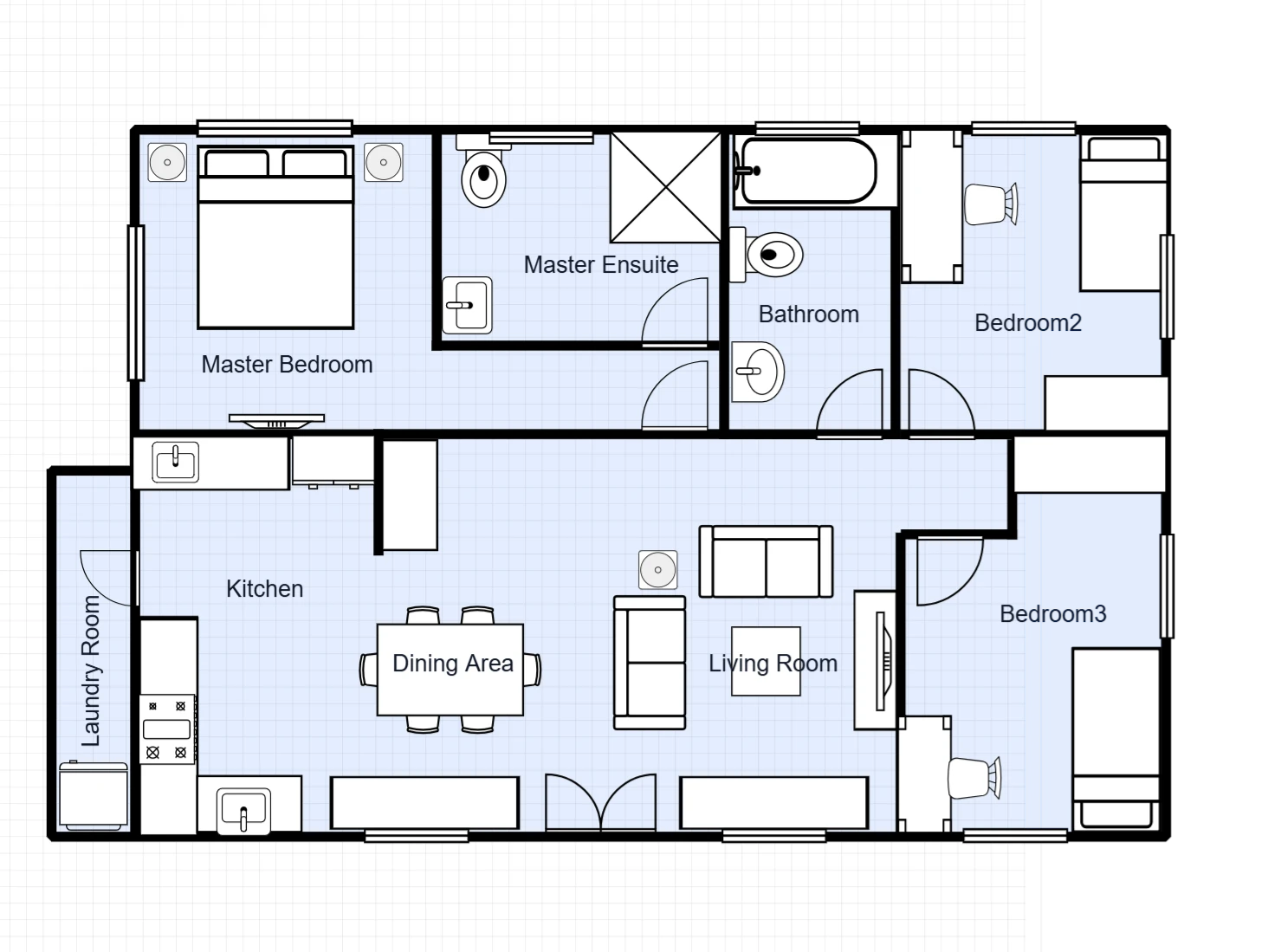
Three bedrooms share an open kitchen, dining and living space, with a private ensuite off the main bedroom and a separate laundry strip.